Digital Menu Compliance: A Restaurant Owner's Checklist
Digital menus offer restaurants capabilities that printed menus can't match — multilingual access, allergen filtering, instant updates, and analytics. But a digital menu also comes with compliance obligations that restaurant owners need to understand before going live.
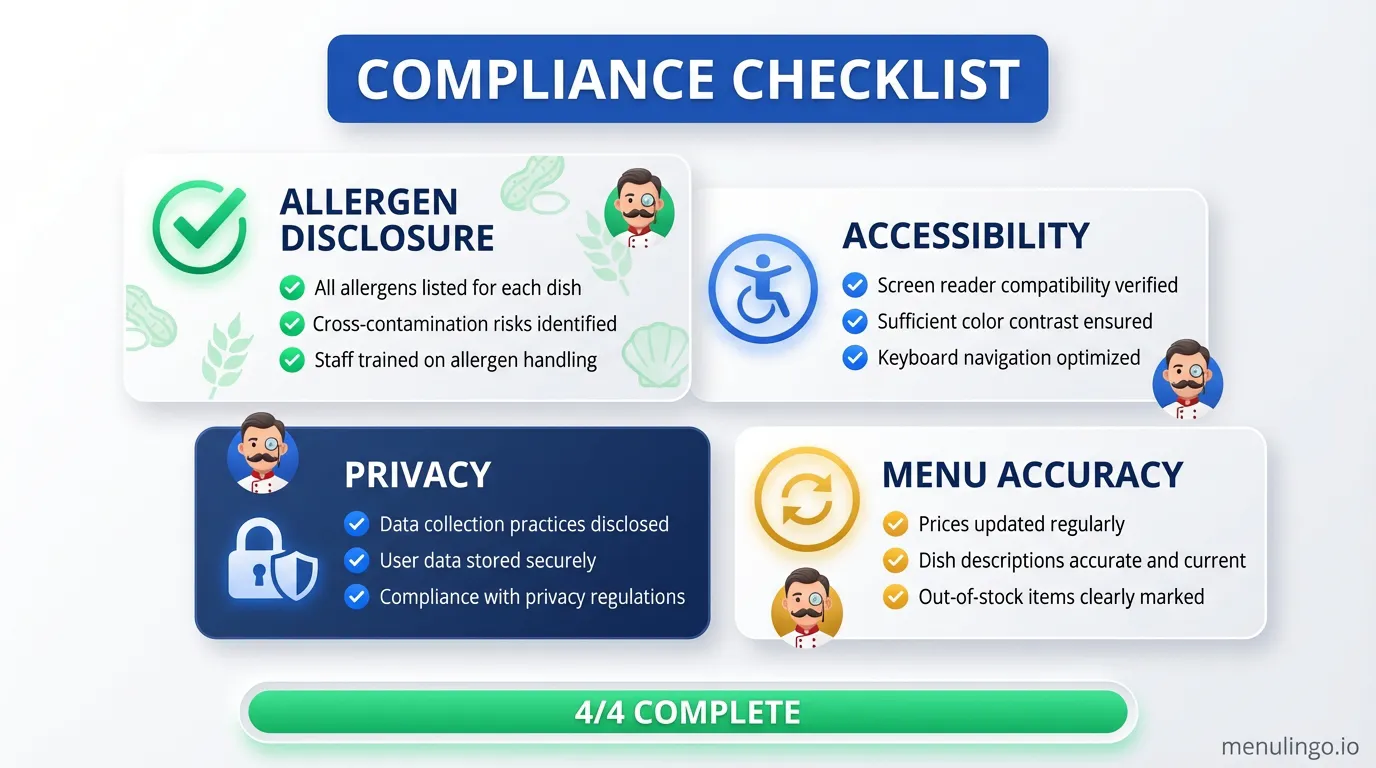
This checklist covers the key areas of compliance for restaurant digital menus. Use it as a practical guide when setting up or auditing your digital menu system.
Allergen Disclosure
Allergen disclosure is the most critical compliance area for any menu — printed or digital. The specific requirements depend on your jurisdiction, but these standards apply broadly.
Every menu item must have an allergen profile. Each dish should identify which of the major allergens it contains. The number of allergens required varies: 14 in the EU, 9 in California (from July 2026), and 10 in Australia's food standards framework.
Allergen information must be available before ordering. The diner needs to see allergen data before they make their choice. Hiding allergen information behind clicks, pop-ups, or "ask your server" prompts doesn't meet the spirit of disclosure requirements in most jurisdictions.
Use standardised allergen names. Australia's PEAL requirements specifically mandate plain English allergen names — "milk" rather than "casein," "wheat" rather than "triticum." Where your menu serves international diners, allergen names should be clear in every supported language.
Document your allergen identification process. Keep records of how allergen profiles were created, who confirmed them, and when they were last updated. This documentation demonstrates due diligence if a compliance question arises.
Accessibility
Digital menus must be accessible to diners with disabilities. While specific legal requirements vary, the Web Content Accessibility Guidelines (WCAG) 2.1 Level AA is the widely accepted standard.
Text must be readable. Minimum font size of 16px for body text on mobile devices. Sufficient colour contrast between text and background — a minimum contrast ratio of 4.5:1 for normal text and 3:1 for large text.
The menu must work without colour vision. Allergen indicators that rely solely on colour (red for allergen present, green for safe) exclude diners with colour vision deficiency. Use text labels, icons, or patterns in addition to colour.
Touch targets must be large enough. Interactive elements (filters, buttons, language selectors) should have a minimum touch target of 44x44 pixels. Diners with motor impairments need adequate spacing between interactive elements.
Screen readers must be supported. Menu items, allergen indicators, and navigation elements need proper semantic markup so screen readers can interpret them. Images need descriptive alt text.
The menu must work on any device. Responsive design that functions on the diner's phone regardless of screen size, operating system, or browser. No app installation required.
Privacy
Digital menus collect data that printed menus don't. Understanding your privacy obligations protects both your diners and your business.
Allergen filtering data is health data. When a diner selects allergens to filter, they're disclosing health information. Best practice is to process allergen filtering entirely on the diner's device (client-side) so that health data never reaches your servers.
Analytics must be aggregated. QR code scan data, language preferences, and page views can be collected for analytics, but this data should be aggregated rather than linked to individual diners. Don't track individual dining sessions across visits.
Cookie consent may be required. If your digital menu uses cookies beyond essential session management, you may need to provide a cookie notice. EU diners are covered by GDPR cookie consent requirements. Keep cookies to the essential minimum.
Privacy policy must be accessible. If your digital menu collects any data (even anonymised analytics), link to your privacy policy from the menu page. This is a legal requirement under GDPR for EU diners and good practice for all jurisdictions.
Menu Accuracy
A digital menu that's easy to update is only beneficial if you actually keep it updated. Menu accuracy is both a compliance issue and a trust issue.
Prices must be current. Displaying incorrect prices can breach consumer protection laws. When prices change, update the digital menu immediately — don't wait for the next "big update."
Dish availability must be accurate. If an item is sold out or temporarily unavailable, mark it as such. Diners ordering from a digital menu expect the listed items to be available.
Descriptions must match the dish. If the menu says "pan-seared salmon" and the kitchen is grilling the salmon today, the description needs updating. Discrepancies between menu descriptions and what arrives at the table erode trust.
Allergen information must reflect current recipes. When a supplier changes or an ingredient is substituted, allergen profiles must be reviewed and updated. An accurate allergen profile from six months ago is not an accurate allergen profile today.
Regulatory Specifics by Jurisdiction
Australia: Comply with FSANZ Food Standards Code, state food safety acts, and PEAL allergen labelling requirements. Keep allergen documentation available for food safety inspections.
European Union: Comply with Regulation (EC) No 1169/2011 for allergen disclosure. Written allergen information mandatory. GDPR applies to any data collected from EU diners.
United States: Follow FDA guidance for restaurant allergen management. Comply with state-specific requirements (California allergen law from July 2026). ADA accessibility requirements apply to digital content.
United Kingdom: Comply with UK food information regulations, Natasha's Law requirements, and FSA guidance on allergen management.
The Monthly Review
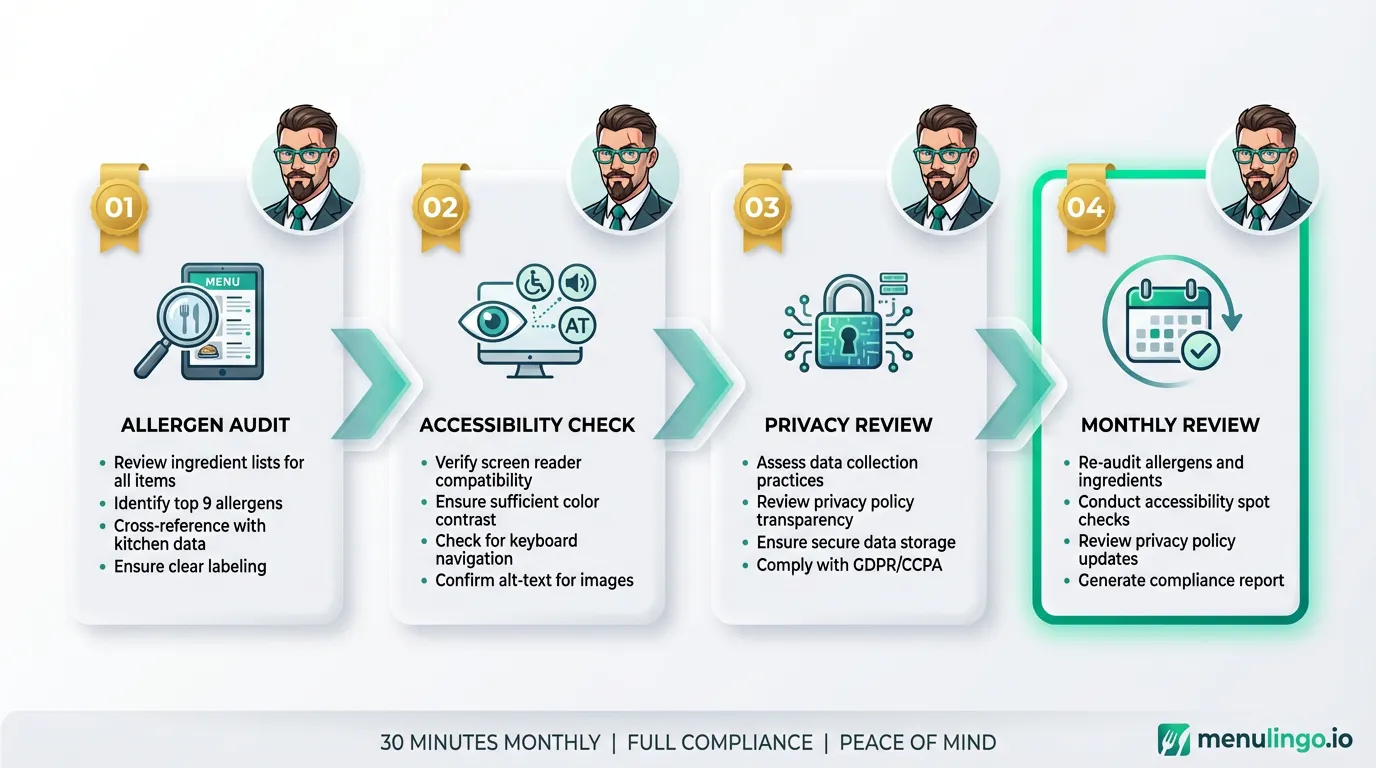
Compliance isn't a one-time setup — it's an ongoing practice. Set a monthly calendar reminder to review your digital menu against this checklist. Check that allergen profiles are current, prices are accurate, accessibility standards are maintained, and privacy practices are followed.
A 30-minute monthly review is a small investment compared to the cost of a compliance failure. It also builds the habit of treating your digital menu as a living document rather than a set-and-forget asset.
Getting It Right
The good news is that a well-built digital menu system handles most compliance requirements by design. Built-in allergen detection, accessible design, client-side allergen filtering, and easy menu editing solve the technical challenges. Your job is to keep the content accurate and the allergen information current.
Compliance is the foundation. On top of that foundation, you build a dining experience that serves every guest — in every language, with every dietary need — safely and confidently.
MenuLingo handles allergen detection, multilingual translation, and accessible QR code menus by design. View plans or start your free trial.
Ready to make your menu multilingual?
Join restaurants already serving diners in 9 languages with accurate allergen information. 14-day free trial, no credit card required.
Start Your Free Trial